


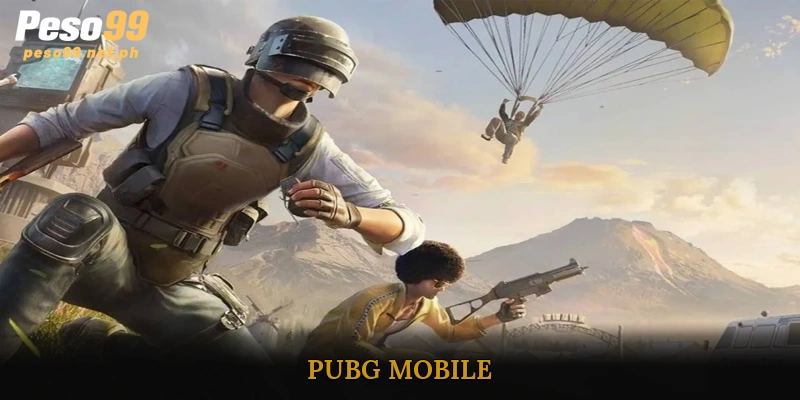
PUBG Mobile offers an intense battle royale experience where survival, strategy, and skill determine the winner. Players are dropped onto expansive maps, scavenging weapons, armor, and resources to outlast opponents. With dynamic gameplay modes, from solo to squad matches, every round challenges your tactics and reflexes. Whether mastering long-range sniping or close-quarters combat, PUBG keeps players engaged and competitive. Join now via PESO99 to experience the thrill of fast-paced, strategic battles.
What is PUBG Mobile?
PUBG Mobile (PlayerUnknown’s Battlegrounds Mobile) is the official mobile adaptation of the iconic PUBG game on PC and console. Launched in 2018 by Tencent Games and PUBG Corporation, this game quickly captured global attention due to its convenient mobile format, realistic graphics, and intense battle royale gameplay. Players are dropped onto a deserted island alongside 100 competitors, all vying to survive until only one individual or team remains.
Since its release, PUBG has become a worldwide phenomenon, surpassing 1 billion downloads according to Sensor Tower. Its popularity highlights not just a compelling gaming experience but also its influence as a cultural phenomenon. The game’s professional eSports scene has further solidified its global standing in the gaming industry. Major achievements include:
- 2018: Official launch on iOS and Android platforms.
- 2019: Reached 400 million downloads within the first year.
- 2020: Inauguration of PUBG World League, marking the rise of mobile eSports.
- 2022: Surpassed $2.6 billion in revenue, ranking among the highest-grossing mobile games of all time.
Basic Guide for Starting PUBG Mobile
Getting started with PUBG is simple but requires a few key steps to ensure smooth gameplay.
Installing and Logging In
First, download PUBG Mobile from the Google Play Store or Apple App Store. The game is free-to-play, though it features optional in-app purchases for cosmetic items and upgrades. After installation, you can log in using Facebook, Twitter, Google Play, or Apple ID. This ensures your progress and achievements are saved across devices, allowing you to continue where you left off.
Interface and Controls
The interface of PUBG is optimized for touchscreen gameplay:
- Left side: Joystick for movement.
- Right side: Buttons for shooting, jumping, crouching, aiming, and throwing grenades.
- Top screen: Mini-map and character information.
Players can customize the layout and size of control buttons in the settings to match personal preferences. Proper configuration is crucial for reacting quickly during intense combat situations and gaining a competitive edge.
Popular Game Modes
PUBG Mobile offers a variety of game modes to cater to different playstyles:
- Classic Mode: The most popular mode with 100 players fighting on a large map, focusing on survival until the last player or team remains.
- Arcade Mode: Faster-paced matches with unique weapon sets and conditions for quick action.
- EvoGround: Creative modes including Zombie Mode and Payload Mode, providing a fresh and experimental experience.
- Ranked Mode: Competitive ranked matches where individual skill and strategy determine your global leaderboard position.
Maps in PUBG Mobile
Understanding the different maps in PUBG is essential for developing effective strategies and improving survival chances. Each map offers unique terrain, challenges, and gameplay dynamics that influence how players approach combat and movement.
Erangel – The Classic Battlefield
Erangel is the original and most iconic map in PUBG Mobile, inspired by a fictional island in the former Soviet Union. Its expansive landscape includes cities, farms, forests, and military bases. This variety allows players to choose between aggressive combat and stealthy approaches. Knowing key loot locations, safe zones, and choke points in Erangel can make a significant difference in early and late-game survival.
Miramar – The Desert Challenge
Miramar is characterized by arid desert terrain, steep hills, and open spaces. Its wide sightlines favor long-range engagements, making sniper rifles highly effective. Players must carefully plan movement and positioning to avoid exposure while leveraging high ground for tactical advantage. Miramar demands patience and strategic thinking, as reckless movement can quickly lead to elimination.
Sanhok & Vikendi – Fast-Paced and Diverse
Sanhok is smaller than Erangel and Miramar, leading to quicker matches that usually conclude within 15–20 minutes. Its dense jungles and tight spaces encourage fast decision-making and constant action, making it ideal for players who prefer intense, rapid combat. Vikendi, on the other hand, is a snow-covered map offering a visually distinct experience. The icy terrain introduces new strategies for stealth and mobility, allowing players to experiment with hiding spots and surprise attacks.
See more: Free Fire
Weapons and Essential Gear in PUBG Mobile
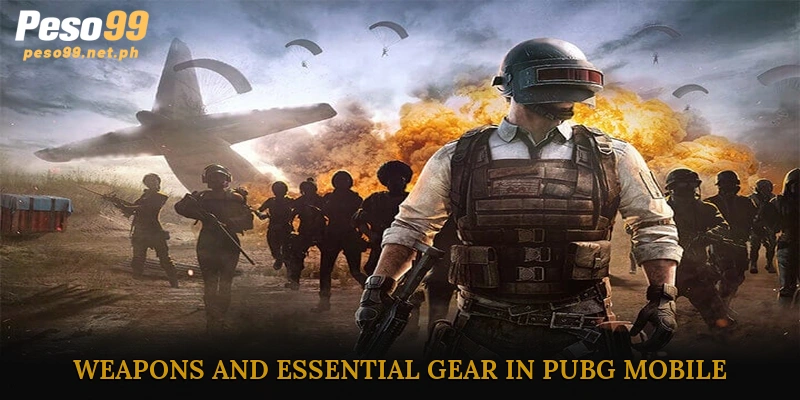
Mastering PUBG requires not only strategic movement but also a deep understanding of weapons and essential gear. Choosing the right equipment can significantly increase survival chances and influence the outcome of battles.
Weapon Categories
Weapons in PUBG Mobile are designed to suit various combat situations. Players can select from multiple types depending on range, firepower, and playstyle:
- Assault Rifles (AR): Examples include AKM and M416. These versatile weapons are effective in most scenarios, providing a balance between rate of fire and damage.
- Sniper Rifles: Kar98k and AWM excel in long-range engagements, delivering high damage for precise shots.
- Submachine Guns (SMG): UMP45 and Vector offer fast firing speeds, making them ideal for close-quarters combat.
- Shotguns: Weapons like S1897 and S12K deliver devastating damage at short range.
- Sidearms & Melee Weapons: Pistols, knives, and even frying pans serve as emergency backups when primary weapons aren’t available.
Essential Support Items
Apart from weapons, support items are crucial for survival:
- Armor & Helmets: Reduce incoming damage and enhance durability.
- Backpacks: Increase inventory space, with three levels of capacity.
- Healing Items: Med Kits, First Aid Kits, and Bandages restore health during combat.
- Boost Items: Energy drinks and painkillers gradually heal and improve movement speed.
Tips for Choosing Weapons
New players often pick up weapons randomly, but strategic selection is key. Experts recommend:
- Pairing one AR (e.g., M416) with one Sniper (e.g., Kar98k) to handle both close and long-range encounters.
- Always carrying an SMG like UMP or Vector for indoor combat.
- Prioritizing weapons with complete attachments, such as scopes, grips, and compensators, to improve accuracy and reduce recoil.
PUBG Mobile continues to captivate players with its fast-paced action and strategic gameplay. Every match tests your skills, from looting essential gear to outsmarting opponents across diverse terrains. Teamwork, sharp reflexes, and smart decision-making are key to surviving until the final circle. For both casual players and competitive gamers, PUBG delivers endless excitement. Experience the intensity and challenge firsthand by joining through PESO99 and immerse yourself in epic battle royale moments.





